Install AdPole
Use the approved AdPole build in the Chrome profile where you do creative research.

AdPole for Chrome
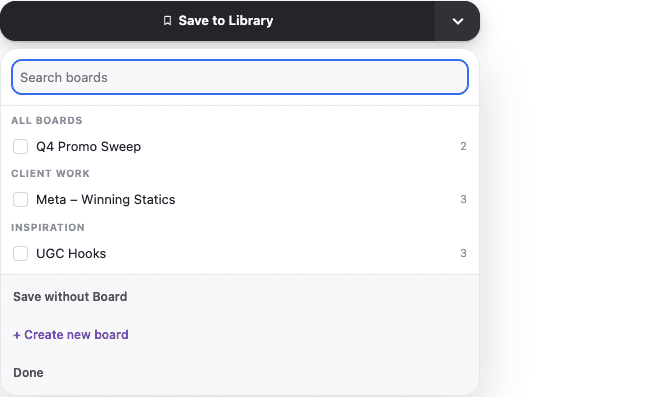
AdPole adds a focused Save control to supported creative sources. Choose a Board, save deliberately, then retrieve the reference from your workspace.
Web Store release in preparationThe Chrome Web Store release is being prepared. AdPole is currently available to approved workspaces.
One-time setup
Use the approved AdPole build in the Chrome profile where you do creative research.
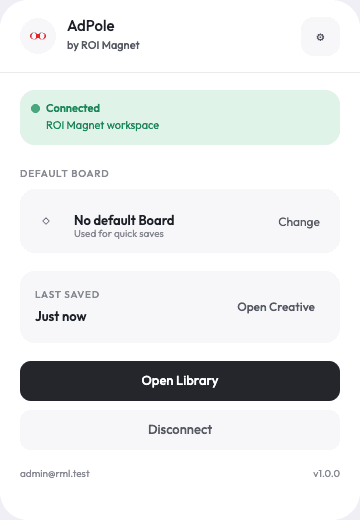
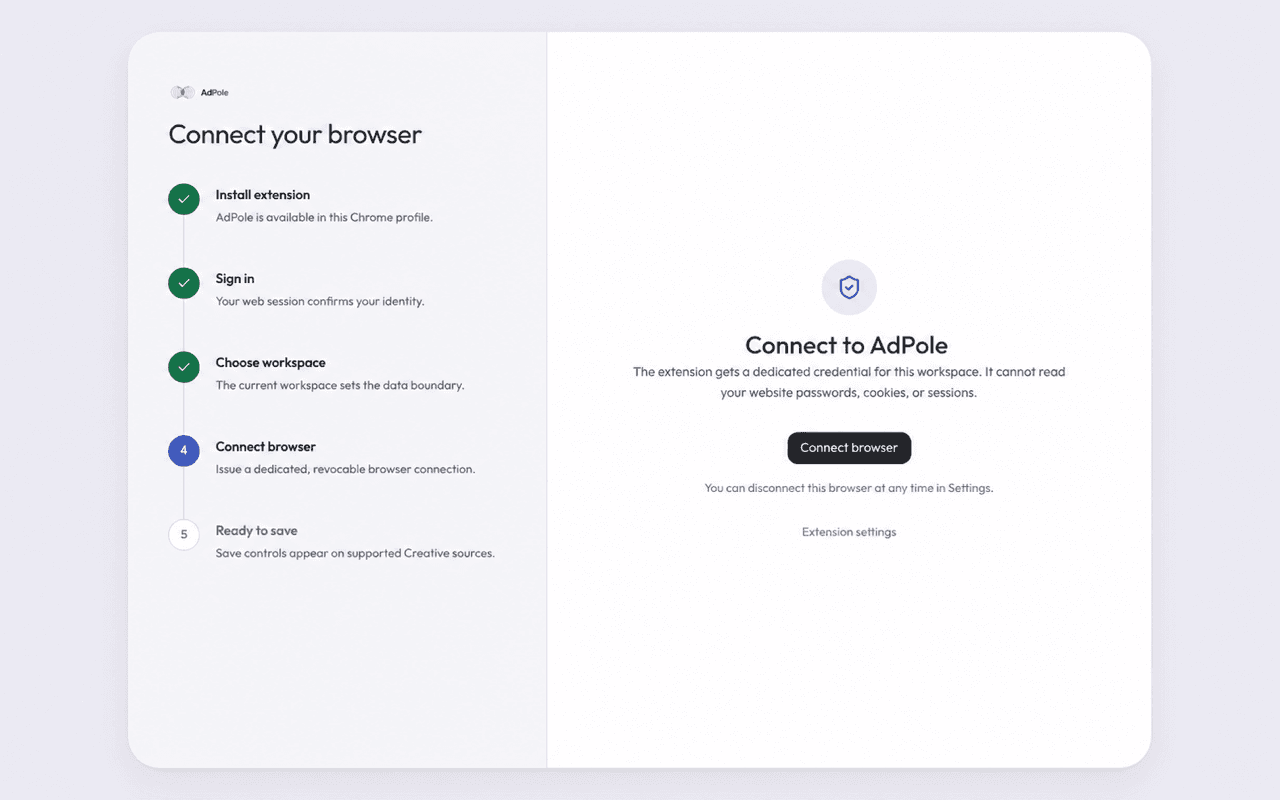
Pin AdPole in Chrome, open it and choose Sign in.
The web app confirms your account and the workspace that will receive saves.
Approve a dedicated, revocable connection. Save controls then appear on supported sources.
Supported capture sources
No <all_urls> shortcut.
Capture behavior varies by source. AdPole preserves available metadata and media where possible; for access-controlled video streams it may preserve a preview and the exact source link.
Plain-English permissions
The extension manifest does not request Chrome permissions for cookies, browsing history, tabs, scripting or every website. The dedicated workspace token is stored as a hash on the server and can be revoked from AdPole settings.
AdPole never asks you to copy a source-site password, cookie or session token.
Usually: wrong Chrome profile. Hota hai.